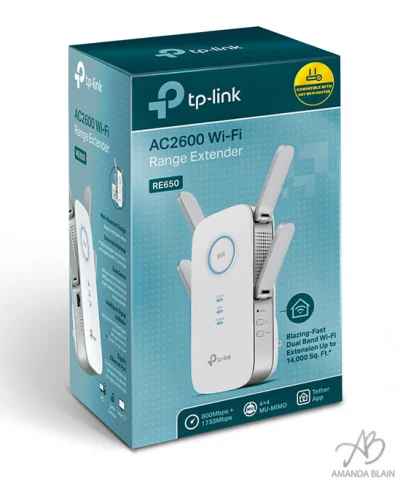
TP-Link AC2600 Wi-Fi Range Extender

As we continue our series on TP-Link home automation, it is important to take some time to discuss how the quality of your home network will play a very important role in how your home automation functions and is configured.

The Role Your Home Network Plays in Home Automation
Each of your home’s smart light bulbs, smart plugs, and other pieces of home automation must maintain a link to your home’s router and the Internet modem. The connection to the router is what enables you to remotely turn on the lights, or activate other automated functions within your home. If your home has connectivity dead spots, e.g. areas of your home where the internet is slow or unstable, these can become a serious issue in your home automation setup. Addressing issues with stability and signal range are where the TP-Link AC2600 Wi-Fi Range Extender truly shines. The TP-Link Range Extender will work with any router brand too.
This small device is plugged into the wall near one of the dead spots in your home and will extend the reach and signal strength of the Internet to those areas. This will allow the smart home devices, even those located in the farthest corners of the home, to have a strong and consistent signal back to your home network. The TP-Link Range Extender will also expand the range of the internet in your house, so you’ll have seamless connectivity for all your internet browsing, streaming, and gaming.

How to Set up the TP-Link AC2600 Wi-Fi Range Extender
This is super easy to do.There are 2 setup options.
- Use WPS on your router – This is the easiest and fastest method if your router has WPS.
- Plug the TP-Link Range Extender into an outlet that is close to the router.
- Wait for it to turn blue.
- Press the WPS button on the router and press the Large circle button on the TP-Link Range Extender.
- Wait for it to connect. You are done
2) Use a web browser – This takes a few more steps but can be used if your router doesn’t have WPS or if you were having issues for any reason.
- Plug the TP-Link Range Extender into an outlet that is close to the router.
- Wait for it to turn blue.
- Connect via Wi-Fi to the Extender.
- Launch a web browser and go to http://www.tplinkrepeater.net and create a password as prompted.
- Then select your router and enter in your password for it.
- Save. That’s it.
- If you have dual bands – 2.4GHz and 5GHz – then you may need to push the WPS button twice and repeat the setup.
After either setup method, the final step is to simply move the TP-Link Range Extender to an outlet that is halfway between the dead spot and the router. Wait for it to turn blue and you are all done. It’s that simple!
Using the TP-Link Tether App
In order to easily control and setup the Extender you can download the TP-Link Tether App for iOS or Android for free. This app is straightforward and allows you to do some cool networking features like see who is connected to the extender and remove them or some parental controls. You can also do this remotely. It also has the ability to tell you if there is a firmware update for your device and is worth checking out.
My Experience with the TP-Link AC2600 Wi-Fi Range Extender

Setting up the TP-Link Range Extender in my own house allowed for a strong signal through a thick iron door, that when previously closed, had always caused connection problems. I noticed an immediate improvement in the connectivity of the Internet as I moved to the farthest corners of the house and the back patio as well.
There is one final cool feature worth mentioning, the TP-Link Range Extender also can act as a hardwired Internet point. Should you need to plug in a gaming console or TV with a hardwired connection, you can do so by plugging it right into the side of the TP-Link Range Extender. This is great for an older gaming console that may not have W-Fi connectivity built in.
And there you have it, a very easy and straightforward setup and way to expand your home network! This is all you need to do to get an extended Wi-Fi signal in every nook and cranny, and to ensure connectivity to all of your smart devices, no matter where they may be located in your home.
You can purchase the TP-Link AC2600 Wi-Fi Range Extender at Best Buy.ca for $119.00
I partnered with TP-Link Canada for this post but thoughts as always are my own.
Recent Posts
How To Cast Oculus Quest 2 VR to TV, Computer, Phone and Mixed Reality
If you want to show your friends what you are playing in VR, follow this…
How to Install Virtual Desktop on Oculus Quest 2 and Play SteamVR Wirelessly
So you bought a Quest 2 and want to wireless connect to your PC, play…
Is VR Safe For Kids? Can Kids Use the Meta Quest 2 VR?
Your children have requested a Meta Quest 2 VR headset because all their friends are…
Must Have Popular VR Oculus Quest 2 Games
What are the must-have VR Oculus Quest 2 Games? Much like all video games, there…
Should You Buy The Oculus Quest 2? Is VR ready?
Its finally here! Facebook has released the quest 2, but should you get it? Which…
What is 5G and Is it Harmful to Our Health?
What is 5G Wireless Technology? 5G (Fifth Generation of Wireless Technology) is actually really cool,…